Every WordPress site accumulates plugins. A plugin to add admin columns. A plugin to duplicate posts. A plugin for SMTP email. A plugin to limit login attempts. A plugin for code snippets. A plugin to hide the WordPress version. Before long, your WordPress installation is carrying fifteen separate plugins for fifteen small tasks — each one a potential source of conflicts, security vulnerabilities, update overhead, and performance drag.
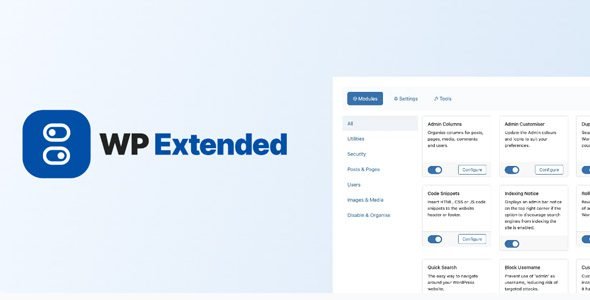
WP Extended Pro solves this completely. It is the ultimate all-in-one WordPress toolkit — a single, beautifully organized, modular plugin that replaces dozens of individual purpose-built plugins with over 40 integrated modules covering administration, security, performance, content management, developer tools, and user management — all in one streamlined, lightweight, conflict-free package trusted by thousands of WordPress professionals worldwide.
What Is WP Extended Pro?
WP Extended Pro is the premium version of the free WP Extended WordPress plugin. It extends the already impressive free module library with a collection of powerful Pro-exclusive modules — Admin Columns, Admin Customiser, WP Admin Quick Search, Post & Page Order for Custom Post Types, Limit Login Attempts Unblocking, Quick Image, Disable Blog, Disable Comments, Disable Auto Updates, and more — giving professional developers, agencies, and businesses the complete toolkit they need to manage any WordPress site efficiently from a single plugin.
The defining design principle of WP Extended Pro is its modular architecture. Every feature is an independent module — activate only the ones you need, deactivate the ones you do not. Unlike bloated all-in-one plugins that load all their code regardless of what you use, WP Extended Pro runs only the modules you have enabled — keeping your site lean, fast, and free of unnecessary overhead regardless of how many features the plugin contains in total.
Key Features & Modules
Admin Columns — Pro
Take full control over the columns displayed in your WordPress admin list views — for posts, pages, media, comments, users, and any custom post type. Add, remove, reorder, and resize columns across every admin list table without any coding. Display custom field values, featured images, word counts, post IDs, custom taxonomy terms, author details, SEO data, and any other metadata as sortable columns — transforming your admin content lists from basic overviews into powerful, information-rich management tables that dramatically speed up editorial and administrative workflows.
Admin Customiser — Pro
Rebrand and personalize the WordPress admin area to match your own or your client’s brand identity using the Admin Customiser module. Change admin color schemes, update admin menu icons, add a custom logo to the login page and admin header, customize the admin footer text, and create a cohesive branded experience throughout the WordPress dashboard. For agencies managing client sites, white-labelling the WordPress admin with the client’s brand is a professional standard — and Admin Customiser delivers it without a dedicated white-label plugin.
WP Admin Quick Search — Pro
Navigate your WordPress admin faster than ever with the enhanced Quick Search module — an intelligent, site-wide search accessible from any page of the WordPress admin. Search across posts, pages, users, plugins, settings, menu items, and custom content simultaneously — with results appearing instantly as you type. For large sites with extensive content libraries and complex settings, Quick Search eliminates minutes of navigation per task and makes the entire WordPress admin feel dramatically more responsive and navigable.
Code Snippets
Add, manage, and organize custom PHP, JavaScript, and CSS code snippets directly from your WordPress admin — without editing theme files, child theme functions, or plugin code. Each snippet is stored safely in the database, can be activated and deactivated independently, and survives theme and plugin updates without any maintenance. Categorize snippets by type and purpose, add descriptions for team documentation, and toggle snippets on and off for testing — making Code Snippets the clean, safe, and organized alternative to cluttering your theme’s functions.php file with customization code.
SMTP Email Configuration
Fix WordPress email deliverability once and for all using the built-in SMTP module. Configure your WordPress site to send all emails through a proper SMTP server — Gmail, Outlook, SendGrid, Mailgun, Amazon SES, or any other SMTP provider — instead of the unreliable PHP mail() function that causes emails to land in spam or never arrive at all. Enter your SMTP host, port, authentication credentials, and sender details from the SMTP module settings — and every WordPress-generated email, from WooCommerce order confirmations to password reset links, is sent reliably through your configured mail server.
Duplicate Pages & Posts
Duplicate any post, page, or custom post type entry instantly with a single click directly from the WordPress admin list view. The duplicated item is created as a draft with all content, metadata, featured image, categories, tags, and custom fields fully copied — giving you an identical starting point that you can modify and publish without rebuilding content from scratch. This is one of the most consistently useful time-saving features in any WordPress toolkit, and WP Extended Pro includes it as a standard module that requires no additional plugin.
Post & Page Order
Control the display order of your posts, pages, and custom post type entries with a simple drag-and-drop reordering interface — without needing a dedicated ordering plugin. Rearrange the order of any content type from the admin list view by dragging rows into the desired sequence. The order is saved immediately and reflected in your site’s content display wherever the custom order is supported by your theme or query settings. The Pro version extends this to custom post types — giving you drag-and-drop ordering control over any custom post type registered by any plugin or theme on your site.
Pixel Tag Manager
Manage all your marketing tracking pixels from a single, centralized interface — without touching your theme files or installing a dedicated tag management plugin. Add Facebook Pixel, Google Analytics, Google Tag Manager, TikTok Pixel, Pinterest Tag, Hotjar, and any other tracking script using the Pixel Tag Manager module. Assign each pixel to fire on the header, footer, or body of every page — with conditional visibility controls to restrict specific pixels to specific post types, pages, or user roles. Clean, organized tracking pixel management with no theme-file editing required.
Limit Login Attempts
Protect your WordPress login page from brute-force attacks by limiting the number of failed login attempts before an IP address is temporarily locked out. Configure the number of allowed attempts, the lockout duration, and the notification behavior for locked-out IPs — with a straightforward admin interface for reviewing and managing current lockouts. The Pro version adds an IP Unblocking feature — letting admins immediately unblock accidentally locked IPs from the WordPress dashboard without server access — a critical practical addition for sites where legitimate users or admins inadvertently trigger the lockout threshold.
Custom Login URL
Change the default WordPress login URL from the predictable /wp-login.php to any custom URL of your choice. Hackers and bots that target WordPress sites routinely attempt brute-force logins at the standard login URL — by changing it to a custom, non-obvious path, you make your login page effectively invisible to automated scanning tools. Anyone trying to access the old login URL receives a 404 error, while you and your authorized users know the correct custom URL and log in without any friction.
Hide WordPress Version
Remove your WordPress version number from your site’s HTML source code, RSS feeds, and HTTP headers — preventing attackers from identifying your WordPress version and targeting known vulnerabilities specific to that version. Version hiding is a standard security hardening practice for production WordPress sites and takes effect immediately when the module is activated — with no configuration needed.
Disable XML-RPC
Completely disable WordPress’s XML-RPC endpoint — a remote access interface that is rarely needed on modern WordPress sites but is routinely exploited for brute-force login attacks, DDoS amplification, and unauthorized remote access. Disabling XML-RPC eliminates this attack surface entirely, and WP Extended Pro’s XML-RPC module does it with a single toggle — no code editing, no .htaccess modification, no additional security plugin required.
User Enumeration Protection
Block user enumeration attacks — automated techniques used by hackers to harvest WordPress usernames by scanning author archive URLs and REST API endpoints. Once a hacker knows your usernames, they only need to crack the password — user enumeration protection denies them the first step of that process. WP Extended Pro’s User Enumeration module blocks all common enumeration vectors simultaneously, hardening your login security without affecting any legitimate site functionality.
Maintenance Mode
Put your WordPress site into a clean, professional maintenance mode with a customizable maintenance page displayed to non-logged-in visitors — while you and your admin team continue to work on the site normally from the backend. Configure the maintenance page message, design, and appearance to match your brand. Enable and disable maintenance mode instantly from the WordPress admin without any plugin conflicts or cache issues. Essential for launch preparations, major updates, and scheduled maintenance windows on production sites.
User Last Login
Track and display the last login date and time for every user on your WordPress site — visible in the Users admin list view as a new column. Identify inactive accounts, monitor user activity patterns, audit access history, and quickly spot suspicious login behavior across your entire user database. User Last Login adds a layer of access visibility to your site’s user management that the default WordPress Users interface completely lacks.
User Switching
Switch between WordPress user accounts instantly — without logging out and back in — using the User Switching module. Ideal for developers debugging user-role-specific functionality, agency admins troubleshooting client accounts, and site managers testing member-only content from different subscriber perspectives. Switch to any user account with one click from the Users admin list, and switch back to your original admin account just as quickly — with a clear status indicator showing which account you are currently viewing as.
Nav Menu Visibility
Control which navigation menu items are visible to which WordPress user roles — displaying different menu structures to logged-in users, logged-out visitors, administrators, subscribers, customers, and any other role on your site. Hide member-area menu links from non-members, show admin-only navigation items only to admins, and create a fully personalized navigation experience for every type of user visiting your site — all configured directly from the standard WordPress Menus editor without any additional membership or conditional menu plugin.
404 to Homepage Redirect
Automatically redirect all 404 error pages to your homepage — preventing visitors from reaching dead-end error pages and keeping them engaged with your content after following broken links. The 404 to Homepage module activates with a single toggle and applies sitewide immediately — redirecting all non-existent URL requests to your homepage with a 301 permanent redirect that also signals to search engines that deleted or moved content should be consolidated at the homepage.
Open External Links in New Tab
Automatically apply target="_blank" to all external links across your entire WordPress site — ensuring visitors who click outbound links are directed to the external page in a new browser tab, keeping your site open in their original tab. This module applies the setting globally to all existing and future external links without requiring any manual link editing in your content — saving enormous amounts of retroactive editing time on established sites with large content libraries.
Obfuscate Author Slugs
Replace your WordPress authors’ actual usernames in author archive URLs with obfuscated, numeric IDs or custom slugs — preventing the author URL from revealing the login username to anyone who inspects your site. Combined with User Enumeration protection, obfuscated author slugs eliminate the most common username disclosure vector on WordPress author-based sites, significantly hardening your login security.
Disable Auto Updates
Take complete control over WordPress’s automatic update behavior with the Disable Auto Updates module. Independently disable automatic updates for WordPress core, plugins, and themes — preventing unexpected automatic updates from breaking your site during high-traffic periods, before testing new versions, or when running customized plugin configurations that require version stability. Disable all auto-updates with a single toggle or configure granular per-component update control based on your deployment and maintenance workflow.
Disable Comments
Completely disable the WordPress comment system sitewide — removing comment forms from all posts and pages, hiding existing comment sections, disabling comment-related admin menu items, and eliminating comment spam management overhead entirely. For business websites, portfolio sites, and any WordPress installation that simply does not need commenting functionality, Disable Comments delivers a cleaner, simpler site with zero comment-related admin burden — in one toggle.
Disable Blog
Transform your WordPress site from a blogging-oriented CMS into a clean business website, portfolio, or application by disabling all blog-related features — removing the Posts menu, disabling the default blog archive, hiding blog-related admin interface elements, and redirecting any attempts to access default blog URLs. For WordPress installations used purely as a CMS for non-blog content — business sites, directories, membership platforms, or application frontends — Disable Blog delivers a cleaner, more focused admin experience without unused blog infrastructure cluttering the dashboard.
Hide Admin Bar
Control which user roles see the WordPress admin toolbar on the frontend of your site — hiding it completely from subscribers, customers, and any other role that has no need for admin bar functionality. The admin bar is useful for admins and editors but irrelevant and visually intrusive for regular visitors who happen to be logged in. Hiding it per user role delivers a cleaner frontend experience for logged-in non-admin users without removing admin-level access from users who need it.
Debug Mode
Enable and disable WordPress debug mode — including WP_DEBUG, WP_DEBUG_LOG, and WP_DEBUG_DISPLAY constants — directly from the WordPress admin interface without editing the wp-config.php file. Toggle debug logging on during troubleshooting sessions and turn it off immediately when done — eliminating the risk of leaving debug mode enabled on a production site. The Debug module also provides a quick-access view of your debug log from directly within the WordPress admin — making development and troubleshooting faster and more accessible for any skill level.
Disable RSS Feeds
Disable all WordPress RSS feed URLs sitewide — preventing content scraping, reducing crawl budget waste on non-essential URLs, and keeping your content exclusive to your website for platforms where RSS syndication is unwanted. Disabling RSS feeds with WP Extended Pro is a single toggle that immediately returns 404 responses to all feed URL requests — no .htaccess editing or custom code required.
Quick Add Post
Create new posts instantly from the WordPress admin dashboard without navigating to the full post editor — using the Quick Add Post widget. Enter a title and the post is created immediately as a draft, ready for full editing at your convenience. This micro-efficiency improvement has a measurable impact on high-volume content publishing workflows where creating large numbers of draft posts quickly is a recurring task.
Replace Media
Replace any media file in your WordPress Media Library with a new file — keeping the original filename, attachment ID, and all post references intact. Any image, document, or file that is referenced anywhere on your site continues to point to the same URL after replacement — no broken links, no content updates needed, no attachment ID changes. Replace outdated product images, update document versions, swap stock photos for originals — all without any of the cleanup work that deleting and re-uploading media normally requires.
SVG Upload Support
Enable safe SVG file uploads to your WordPress Media Library — with built-in SVG sanitization that strips potentially malicious code from uploaded SVG files before they are saved. WordPress blocks SVG uploads by default due to the ability for SVG files to contain embedded scripts, but WP Extended Pro’s SVG module enables them safely — allowing developers, designers, and site managers to use scalable vector graphics for logos, icons, illustrations, and UI elements without any compromise on security.
Who Is WP Extended Pro For?
- WordPress Agencies — Replace a stack of individual admin, security, and utility plugins on every client site with one standardized, manageable toolkit
- Freelance Developers — Carry one plugin that handles dozens of common site setup tasks — from SMTP configuration to admin columns — across every project
- Business Site Owners — Manage your WordPress site more professionally without the complexity of maintaining a large, conflict-prone plugin stack
- WordPress Power Users — Get access to the exact features you want — code snippets, admin columns, user switching, pixel manager — without installing a separate plugin for each one
- Site Managers & Admins — Simplify the WordPress admin experience with faster navigation, better user management visibility, and cleaner interface controls
Free vs Pro Comparison
| Feature / Module | WP Extended Pro | WP Extended Free |
|---|---|---|
| Admin Columns (Posts, Pages, Media, Users) | ✅ Advanced — Full Customization | ❌ No |
| Admin Customiser (Colors, Icons, Branding) | ✅ Yes | ❌ No |
| WP Admin Quick Search | ✅ Yes | ❌ No |
| Post & Page Order for Custom Post Types | ✅ All CPTs | ⚠️ Posts & Pages Only |
| Limit Login Attempts + IP Unblocking | ✅ Yes + Unblock Feature | ✅ No Unblocking |
| Quick Image Insert | ✅ Yes | ❌ No |
| Disable Blog | ✅ Yes | ❌ No |
| Disable Comments | ✅ Yes | ❌ No |
| Disable Auto Updates | ✅ Yes | ❌ No |
| Code Snippets | ✅ Yes | ✅ Yes |
| SMTP Email | ✅ Yes | ✅ Yes |
| Duplicate Posts & Pages | ✅ Yes | ✅ Yes |
| Custom Login URL | ✅ Yes | ✅ Yes |
| Hide WordPress Version | ✅ Yes | ✅ Yes |
| Disable XML-RPC | ✅ Yes | ✅ Yes |
| User Switching | ✅ Yes | ✅ Yes |
| Nav Menu Visibility by Role | ✅ Yes | ✅ Yes |
| Pixel Tag Manager | ✅ Yes | ✅ Yes |
| SVG Upload Support | ✅ Yes | ✅ Yes |
| 40+ Total Modules | ✅ All Modules Unlocked | ⚠️ Free Modules Only |
How to Install
- Click the Download button below to get the
.zipfile - Go to WordPress Dashboard → Plugins → Add New → Upload Plugin
- Upload the
wp-extended-pro.zipfile and click Install Now - Activate the plugin
- Navigate to WP Extended in your WordPress sidebar
- Browse the complete module library — organized by category — and activate only the modules your site requires
- Configure each activated module from its individual settings page — accessible directly from the module list with a click
- Deactivate any previously installed single-purpose plugins that WP Extended Pro now replaces — and enjoy a cleaner, simpler plugin stack
Frequently Asked Questions
Is this plugin free to download?
Yes, you can download WP Extended Pro for free from this page. It is redistributed under the GPL license.
Will activating all modules slow down my site?
No. WP Extended Pro uses a true modular architecture — only the modules you have activated load any code. Inactive modules contribute zero overhead. Even with all modules active, the plugin is engineered for performance, and replacing multiple individual plugins with WP Extended Pro typically reduces overall plugin overhead rather than increasing it.
Can I use it on client sites?
Yes. WP Extended Pro is a favorite tool for WordPress agencies and freelancers precisely because it standardizes a large chunk of every site’s plugin stack into a single, predictable, manageable solution — reducing setup time and long-term maintenance overhead on every client website.
Does it conflict with page builders like Elementor or Divi?
No. WP Extended Pro is page builder agnostic — it does not modify front-end output in ways that conflict with any page builder, theme, or other plugin. Its modules target specific, well-defined WordPress hooks and functions, making conflicts extremely rare in real-world deployments.
Is the Code Snippets module safe to use on production sites?
Yes. The Code Snippets module stores all snippets in the database and wraps execution in error handling — if a snippet causes a fatal error, it is automatically deactivated and the site continues to function normally. This makes it significantly safer than adding code directly to functions.php, where a syntax error can take down the entire site.
Is it compatible with the latest WordPress version?
Yes. WP Extended Pro is actively maintained and regularly updated for full compatibility with the latest WordPress releases.
Download WP Extended Pro — Free
Stop managing a stack of fifteen plugins for fifteen small jobs. WP Extended Pro is one plugin, 40+ modules, zero conflicts, and everything you need to run a professional WordPress site — admin customization, security hardening, performance tools, content management utilities, developer tools, user management, and more. Activate only what you need, deactivate everything else, and enjoy the cleanest WordPress plugin stack you have ever had. Download it today.
⚠️ Disclaimer: This plugin/theme is for personal use and practice only. Run a malware scan before use. For commercial use, purchase a license from the official website.