
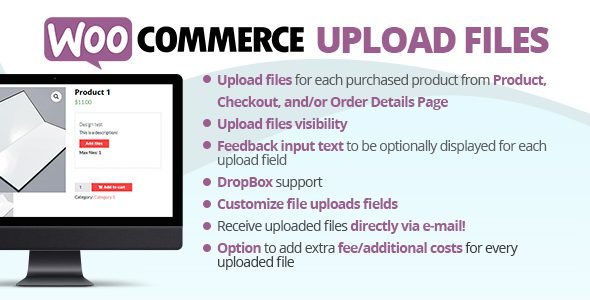
Running a print shop, custom merchandise store, personalised gift business, or any WooCommerce store where customers need to submit files alongside their order? WooCommerce Upload Files is the most powerful, most flexible, and best-selling file upload plugin for WooCommerce on CodeCanyon — with over 7,500 sales and nearly 600 five-star reviews.
Developed by vanquish, this plugin lets your customers upload one or multiple files at any stage of their shopping journey — on the product page, cart, checkout, thank you page, or order details page — all with beautiful visual progress bars, smart filtering rules, and an extensive suite of configuration options that makes it the definitive file upload solution for any WooCommerce store.
What Is WooCommerce Upload Files?
WooCommerce Upload Files is a premium CodeCanyon plugin that adds fully configurable file upload fields to your WooCommerce store. Every upload is bound directly to the customer’s order — and optionally to specific products — so you always know exactly which files belong to which order and which item. Shop admins access all uploaded files directly from the backend Order Detail page, and can optionally receive files via email notification as well.
With unlimited upload fields, a visual configurator, dynamic pricing options, chunk upload technology for unlimited file sizes, and compatibility with both simple and variable products — WooCommerce Upload Files is the complete solution for any store that needs customers to send files as part of their purchase.
Key Features
Upload Fields on Any WooCommerce Page
Place upload fields exactly where your customers need them. WooCommerce Upload Files supports file upload on five distinct WooCommerce pages — Product Page, Cart, Checkout, Thank You Page, and Order Details Page. Each upload field is independently configurable per page, giving you total control over when and where customers submit their files during the ordering process.
Unlimited File Uploads — No Size Restrictions
Unlike most file upload plugins that are limited by PHP’s default upload limits, WooCommerce Upload Files uses chunk upload technology to break large files into smaller pieces and upload them progressively — bypassing server-side file size restrictions entirely. Your customers can upload files of any size without hitting errors, regardless of your server’s default PHP configuration.
Visual Upload Progress Bars
Every file upload is accompanied by a real-time visual progress bar that shows customers exactly how much of their file has uploaded — keeping them informed, reducing anxiety, and preventing duplicate submissions. A clean, professional upload experience builds customer confidence and reduces support requests about failed uploads.
Visual Upload Field Configurator
Create and configure upload fields from a dedicated visual Upload Field Configurator in your WordPress admin panel. Add as many upload fields as your store needs, configure each one independently — setting the page it appears on, the products or categories it applies to, whether it is required, the accepted file types, maximum file count, and much more — all without touching code.
Granular Field Visibility Filtering
Control exactly which products or categories each upload field applies to. Show an upload field for specific products only, for entire product categories, or for every product in your store. This targeting system allows you to create product-specific upload requirements — for example, a design file upload only for custom print products — without affecting the rest of your catalog.
Required Upload Fields
Make any upload field mandatory before a customer can add a product to cart or proceed to checkout. When the required option is enabled, the Add to Cart button on matching product pages is replaced by a View button that forces customers to visit the product page and upload their file before purchasing — ensuring you never receive an order without the files you need.
Image Preview Before Upload
Enable image preview so customers can see a thumbnail of their selected image file before confirming the upload. This reduces upload errors, increases customer confidence that they have selected the correct file, and improves the overall purchase experience — particularly important for print-on-demand and design customization stores.
Image Cropping Tool
Allow customers to crop their images directly within the upload interface before submitting — with configurable crop dimensions that match your product specifications. This ensures that uploaded images are always properly framed and sized for your print or customization process, reducing manual editing work on the admin side.
Variable Product Support
WooCommerce Upload Files works seamlessly with variable products. Upload fields can be configured to appear only after a customer selects a product variation — with the option to show one upload field per variation. This enables powerful per-variation file upload requirements — for example, requiring a different design file for each size or colour variant of a custom product.
Individual Products — Separate Cart Items per File
The Individual Products feature allows you to configure specific products so that each time one is added to the cart, it is treated as a distinct separate cart item — each with its own independent upload field. This is essential for stores where customers order multiple copies of a personalised product with different designs — each item gets its own unique file, tracked independently through to fulfillment.
Automatic Cart Quantity Based on File Count
Enable the special option that automatically sets the product cart quantity to match the number of files a customer uploads. This is particularly powerful for print shops where the number of ordered units should equal the number of design files submitted. Combined with quantity-based pricing rules, this feature automates pricing based entirely on how many files are uploaded.
Dynamic Pricing — Extra Fees per Uploaded File
Charge additional fees for uploaded files dynamically — either as a fixed amount or as a percentage of the original product price per file uploaded. For example, charge an extra 20% per additional uploaded file for a multi-design custom product. This pricing mechanism integrates directly with WooCommerce’s cart and checkout totals, displaying the additional cost transparently to the customer.
Email Notifications with File Attachments
Configure each upload field to trigger automatic email notifications when a customer uploads a file. Uploaded files can be sent directly to the shop admin’s email address — with support for multiple email recipients — ensuring the right team member receives customer files immediately without needing to log into the WordPress backend. Per-field email configuration gives you full control over notification routing.
User Role, Payment Method & Device Type Controls
Apply advanced visibility rules to upload fields based on the customer’s WordPress user role, the payment method they select, or the device type they are using (desktop, tablet, mobile). This granular control lets you show upload fields only to registered customers, only when a specific payment method is chosen, or only on certain devices — adapting your store’s behavior precisely to your business requirements.
Lazy Loading of Upload Fields
Upload fields are loaded lazily — they do not impact your product page’s initial load time. The upload interface loads only when needed, keeping your WooCommerce pages fast and performing well on Google PageSpeed Insights and Core Web Vitals scores even with upload functionality enabled across your catalog.
Uploaded Files on Cart, Checkout & Order Pages
Uploaded files are visible to customers throughout their entire order journey — displayed on the cart page, the checkout page, the order details page, and in order confirmation emails. Customers can review their uploaded files at every stage, providing peace of mind and reducing ‘did you receive my file?’ support queries.
Admin Order Detail Access — Bulk Download
All customer-uploaded files are accessible directly from the WooCommerce Order Detail page in the WordPress backend. Admins can view, preview, and download individual files or use the Bulk Download feature to download all files from an order as a single archive — making file retrieval fast and efficient for high-volume custom product stores.
Custom Field Positioning via Shortcode
Place upload form fields precisely where you need them on the product page using the [wcuf_product_page_upload_form] shortcode. Embed the upload form inside any product description area or custom product template location — giving you full control over the visual layout of upload fields on your product pages regardless of your theme.
Who Is This Plugin For?
- Print-on-Demand Shops — Accept design files for t-shirts, mugs, phone cases, canvas prints, and any custom printed product
- Custom & Personalised Product Stores — Collect customer artwork, photos, logos, or specifications alongside every order
- Graphic Design & Agency Services — Let clients submit briefs, source files, and reference materials at checkout
- Document-Based Services — Legal, medical, financial, and compliance services that require document uploads as part of a purchase
- Photo Products Stores — Photo books, custom calendars, framed prints — collect the right images with every order
- Tailoring & Custom Apparel — Collect measurement charts, style references, and fabric choices with customer orders
Key Features at a Glance
| Feature | Available |
|---|---|
| Upload on Product, Cart, Checkout, Thank You & Order Pages | ✅ Yes |
| Unlimited File Uploads — No Size Limit (Chunk Technology) | ✅ Yes |
| Visual Progress Bars | ✅ Yes |
| Image Preview & Cropping | ✅ Yes |
| Variable Product Support | ✅ Yes |
| Individual Products (Separate Cart Items) | ✅ Yes |
| Auto Cart Quantity from File Count | ✅ Yes |
| Dynamic Pricing per Uploaded File | ✅ Yes |
| Email Notifications with Attachments | ✅ Yes |
| User Role, Payment & Device Targeting | ✅ Yes |
| Required Upload Field Option | ✅ Yes |
| Admin Bulk Download | ✅ Yes |
| Shortcode for Custom Field Placement | ✅ Yes |
| Lazy Loading — No Page Speed Impact | ✅ Yes |
How to Install
- Click the Download button below to get the
.zipfile - Go to WordPress Dashboard → Plugins → Add New → Upload Plugin
- Upload the
.zipfile and click Install Now - Activate the plugin
- Navigate to Upload Files Configurator in your WordPress sidebar
- Click Add New Upload Field and configure the display page, targeting rules, accepted file types, pricing, and email settings
- Save your field and it will appear automatically on your configured WooCommerce pages for matching products
Frequently Asked Questions
Is this plugin free to download?
Yes, you can download WooCommerce Upload Files for free from this page. It is redistributed under the GPL license.
Is there a file size limit for customer uploads?
No. WooCommerce Upload Files uses chunk upload technology to bypass PHP server upload limits, allowing customers to upload files of any size without errors — regardless of your hosting provider’s default PHP configuration.
Does it support variable products?
Yes. The plugin supports variable WooCommerce products fully, with the option to show upload fields conditionally after a variation is selected and to assign one upload field per variation.
Can I charge extra fees for uploaded files?
Yes. The dynamic pricing feature lets you charge a fixed amount or a percentage of the product price per uploaded file — with the additional cost displayed transparently in the WooCommerce cart and checkout totals.
Will admins receive uploaded files by email?
Yes. Each upload field can be configured to trigger automatic email notifications with the uploaded file attached — supporting multiple recipient email addresses per field for routing to the correct team member.
Is it compatible with the latest WordPress and WooCommerce versions?
Yes. WooCommerce Upload Files is regularly updated by vanquish and is fully compatible with the latest versions of WordPress and WooCommerce, including WooCommerce High Performance Order Storage (HPOS).
Download WooCommerce Upload Files — Free
If your WooCommerce store sells custom, personalised, or document-based products and services — WooCommerce Upload Files is the one plugin you cannot do without. With unlimited file sizes, dynamic pricing, email notifications, variable product support, and a comprehensive visual configurator — it is the most complete file upload solution for WooCommerce available anywhere. Download it today and give your customers the seamless file submission experience they deserve.
⚠️ Disclaimer: This plugin/theme is for personal use and practice only. Run a malware scan before use. For commercial use, purchase a license from the official website.





