
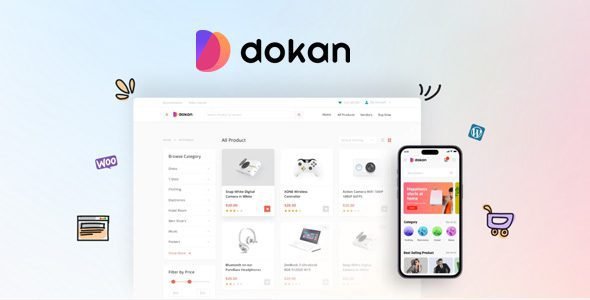
What if you could build your own Amazon, eBay, or Etsy — on WordPress — without a development team, without a custom platform, and without months of setup? Dokan Pro makes it a reality. It is the #1 multivendor marketplace plugin for WordPress, trusted by over 70,000 active marketplaces worldwide, and the fastest way to turn any WooCommerce-powered WordPress site into a fully functional multi-seller eCommerce platform.
Developed by weDevs and backed by years of active development, enterprise-grade reliability, and a thriving global community, Dokan Pro comes bundled with the WooCommerce Booking Integration module and the dedicated Dokan Marketplace Theme — giving you a complete, end-to-end multivendor marketplace solution in a single download. Every vendor gets their own storefront, their own dashboard, and their own payout system — while you sit at the top collecting commissions automatically.
What Is Dokan Pro?
Dokan Pro is the premium version of the free Dokan Multivendor Marketplace plugin by weDevs. Built entirely on top of WooCommerce, it transforms a standard WordPress eCommerce store into a fully automated multi-seller platform where vendors register, list products, manage orders, handle shipping, and request payouts — all from a beautiful frontend dashboard without ever needing access to your WordPress admin area.
As the marketplace owner, you set commission rates, approve vendors and products, manage withdrawals, monitor sales performance, and grow your marketplace from a powerful admin panel — while the entire day-to-day operation runs itself. Dokan Pro’s automation-first philosophy means your marketplace manages itself, and you focus on growing it.
Key Features
Unlimited Vendors — Unlimited Products
There are no limits in Dokan Pro. Add as many vendor sellers as your marketplace can attract — each with their own independent store, their own product catalog, their own pricing, and their own branding. Every vendor can list an unlimited number of products — simple, variable, downloadable, virtual, booking, and auction products — from the frontend dashboard without any backend access. Scale from a boutique marketplace with a handful of curated sellers to a massive platform with thousands of active vendors without any architectural limitations.
Intuitive Frontend Vendor Dashboard
The Dokan vendor dashboard is one of the most celebrated features in the plugin — a complete, fully featured store management interface that runs entirely on the frontend of your WordPress site. From this dashboard, vendors manage their entire store without ever seeing your WordPress admin panel. Product creation and editing, order processing and status updates, shipping label generation, coupon creation, withdrawal requests, sales reports, customer review management, and store settings — all accessible from a clean, intuitive interface that any seller can learn in minutes. The dashboard is fully responsive and works seamlessly on mobile devices.
Individual Vendor Storefronts
Every vendor on your Dokan marketplace gets their own fully branded storefront — a dedicated store page with a unique URL, custom banner, logo, store description, contact details, social media links, store location map, operating hours, and product grid. Customers can browse individual vendor stores, view the vendor’s full catalog, read vendor reviews, and contact the seller directly — creating a genuine marketplace experience that builds trust between buyers and sellers and encourages repeat purchases from specific vendors they love.
Flexible Commission System
Monetize your marketplace with Dokan Pro’s comprehensive, multi-level commission system. Set a global commission rate that applies to all vendors by default. Override it with vendor-specific commission rates for individual sellers. Apply category-based commissions to charge different rates for different product types. Set product-level commissions for specific high-value or high-margin items. Choose between percentage-based, flat-rate, or combined commission structures — and switch between earning models at any time. Every commission is calculated and tracked automatically, giving you transparent, reliable revenue from every transaction on your platform.
Automated Vendor Payouts — Multiple Payment Methods
Dokan Pro supports three complete payment models to fit any marketplace payout requirement. Offline payment methods — Cash on Delivery, Bank Transfer, and Local Pickup — handle marketplaces that prefer manual disbursement. Standard online payments via PayPal, Stripe, and every WooCommerce-compatible payment gateway handle automatic payment collection from buyers. Instant split payment systems via Stripe Connect and Stripe Express automatically split every transaction at checkout — routing the vendor’s share directly to their Stripe account and retaining your commission in your own Stripe account in real time, eliminating all manual payout processing.
Stripe Connect & Stripe Express — Instant Split Payments
Dokan Pro’s Stripe Connect and Stripe Express modules deliver the most seamless vendor payment experience available in any WordPress marketplace plugin. When a customer places an order, the transaction is automatically split at the moment of payment — the marketplace commission stays in your Stripe account, and the vendor’s earnings are transferred directly to their connected Stripe account instantly. No manual disbursements, no holding funds, no reconciliation spreadsheets. Stripe Express extends this with support for Google Pay, Apple Pay, iDEAL, SEPA, and credit card payments across 131+ countries — making your marketplace ready for global commerce from day one.
WooCommerce Booking Integration Module
The bundled WooCommerce Booking Integration module transforms Dokan Pro into a complete multivendor booking marketplace — letting vendors create and sell bookable products and services from their frontend dashboard. Each vendor can configure bookable products with availability calendars, capacity limits, pricing by time slot, and add-on resources — powered by WooCommerce Bookings running within the Dokan multivendor structure. Build a marketplace for hotel bookings, appointment scheduling, equipment rental, event tickets, tour reservations, fitness classes, or any other time-based service where multiple vendors offer bookable inventory from a single marketplace platform.
Geolocation Module — Location-Based Discovery
The Geolocation module detects each buyer’s location and surfaces products from nearby vendors first — improving relevance, reducing delivery times, and increasing conversion rates for location-sensitive purchases. Vendor store pages display a Google Maps location widget showing the store’s physical location. Customers can filter the marketplace by distance — finding the nearest vendor for their search query. For local marketplace concepts, food delivery platforms, and service marketplaces — geolocation is a defining feature that creates genuine local relevance and differentiates your platform from generic national marketplaces.
Vendor Subscription Packs
Generate additional revenue from your vendors — beyond transaction commissions — with the Vendor Subscription module. Create subscription plans that charge vendors a recurring fee for selling on your marketplace. Customize each plan with product upload limits, category access restrictions, subscription duration, featured listing allowances, and pricing. Vendors purchase subscriptions to unlock the ability to list products — giving you a predictable, recurring SaaS-style revenue stream from your marketplace independently of transaction volume.
Vendor Verification
Build trust and credibility on your marketplace by verifying your vendors’ identities through the Vendor Verification module. Require vendors to submit government ID, address proof, phone number verification, or social media account verification before they can start selling. Display verification badges on verified vendor storefronts — clearly signaling to buyers which sellers have been authenticated. Verified vendor badges dramatically increase buyer confidence and conversion rates on products from verified sellers, improving the overall trustworthiness of your marketplace.
Vendor Staff Manager
Large vendor businesses need more than one person to manage their store. The Vendor Staff Manager module lets vendors add unlimited staff members to their store — each with defined role-based permissions controlling exactly which dashboard sections and capabilities they can access. Vendors can delegate order processing to a fulfilment team member, assign product management to a content team, and restrict financial reports to accounting staff — all without sharing their main vendor account credentials or losing control over sensitive store settings.
Product Reviews & Vendor Ratings
Customers can leave product reviews and vendor ratings directly on your Dokan marketplace — building a transparent, trust-based reputation system that helps quality vendors stand out and protects buyers from unreliable sellers. Admins control whether vendors can respond to reviews and edit review content. Vendor ratings are displayed prominently on storefront pages and product listings — creating natural quality differentiation that rewards excellent sellers with increased visibility and conversion rates.
Return & Warranty Request Management
Handle post-purchase customer service professionally with the Return and Warranty Request module. Customers submit return or warranty requests directly from their order history — selecting the reason, providing details, and uploading photos. Vendors receive and manage the request from their frontend dashboard — communicating with the customer, approving or rejecting the claim, and processing the resolution. Admins have full oversight of all open requests across all vendors — ensuring customer protection standards are maintained across your entire marketplace.
Live Chat — Vendor-Customer Communication
Enable real-time communication between buyers and sellers on your marketplace with the Live Chat module — supporting Facebook Messenger, Tawk.to, and WhatsApp integrations. Customers browsing a vendor’s store can initiate a chat conversation with the seller directly from the product page or storefront — getting answers to product questions, discussing custom orders, and receiving pre-sale support without leaving your marketplace. Faster, direct communication increases buyer confidence and reduces cart abandonment from unanswered questions.
Product Enquiry Module
For products where customers need more information before purchasing — custom orders, bulk purchases, B2B pricing, or technical specifications — the Product Enquiry module adds a dedicated enquiry form to every product page. Customers submit their question directly from the product page, and the vendor receives and responds to enquiries from their dashboard. Every enquiry is tracked and managed centrally, ensuring no potential buyer is ever left without a response.
Vendor Vacation Mode
Real-world vendors take vacations, close for holidays, or temporarily pause operations. The Vendor Vacation module lets vendors set specific unavailability periods — displaying a customizable notice to customers visiting their store and hiding their products from marketplace listings during the defined vacation period. When the vacation ends, everything returns to normal automatically — maintaining a professional customer experience without any manual store management required from the vendor or the marketplace admin.
Ajax Live Search
Deliver an instant, real-time search experience to your marketplace’s customers with the Ajax Live Search module. As customers type in the search field, results appear instantly with product images, names, and prices — without any page reload. This dramatically improves product discovery speed, increases search usage across the platform, and reduces the friction between a customer’s intent to find a product and their decision to add it to cart.
Single Product Multiple Vendors
The Single Product Multiple Vendors module allows multiple vendors to offer the same product listing — letting customers compare prices and delivery options from different sellers on a single product page, just like Amazon’s marketplace model. Each vendor offering the product has their own pricing, stock level, and fulfillment conditions — displayed side by side for customer comparison. This model is ideal for commodity marketplaces where multiple sellers carry identical products and price competition drives purchase decisions.
Wholesale Module
Enable B2B wholesale selling on your marketplace with the Wholesale module. Vendors can designate specific products as wholesale products, set wholesale pricing tiers based on minimum quantity orders, and restrict wholesale pricing to approved wholesale customers only — creating a separate B2B buying experience within your existing marketplace without building a separate wholesale platform.
Export / Import Products
Vendors can export and import their product catalogs using CSV files directly from their frontend dashboard — without any admin assistance or backend access. This is essential for vendors migrating from another platform, managing large product catalogs offline, or maintaining product data in external systems. Bulk product updates via CSV import save vendors enormous amounts of time compared to editing products individually through the dashboard.
Dokan Marketplace Theme — Dedicated Design
The bundled Dokan Marketplace Theme provides a purpose-built design specifically optimized for multivendor marketplaces powered by Dokan Pro. Built on Bootstrap for full responsiveness, the theme features a clean, modern marketplace aesthetic with prominent vendor storefront layouts, marketplace-specific navigation, vendor search and filter interfaces, and a homepage design that showcases your top vendors and featured products. The theme is fully customizable through the WordPress Customizer — giving you complete brand control without any code editing required.
Elementor Integration
Dokan Pro integrates fully with Elementor — the world’s most popular WordPress page builder — through dedicated Dokan Elementor widgets. Customize vendor store pages effortlessly, access over 12 exclusive Dokan Elementor widgets, drag and drop them anywhere on any page, and save customized templates for reuse across your marketplace. The Elementor integration makes advanced page customization accessible to any admin without development expertise.
Generative AI — Product Content Creation
Dokan Pro includes generative AI assistance for vendors — enabling them to generate professional product titles, short descriptions, and long descriptions directly from the vendor dashboard using AI. Vendors type a brief prompt and the AI generates polished, ready-to-publish product copy — dramatically reducing the time and writing skill required to create high-quality product listings, particularly beneficial for vendors who are strong sellers but less confident English writers.
Multilingual — 25+ Languages & RTL Support
Dokan Pro is available in over 25 languages and is fully compatible with WPML and Polylang for building multilingual marketplace sites. Full RTL (Right-to-Left) language support makes Dokan Pro the right choice for marketplaces targeting Arabic, Hebrew, Persian, Urdu, and other RTL-language markets. Comprehensive internationalization ensures your marketplace can serve buyers and vendors from any language community without frontend display issues.
Comprehensive Admin Dashboard & Reporting
Monitor and manage every aspect of your marketplace from the powerful Dokan admin dashboard. Track total marketplace revenue, individual vendor performance, commission earnings, withdrawal requests, top-selling products, and vendor growth metrics from a single overview page. Broadcast announcements to all vendors or specific vendor segments. Approve or reject new vendor registrations and product submissions. Promote trusted vendors to auto-publish status. Configure global commission rates, shipping settings, withdrawal limits, and payment gateway settings — all from a centralized admin interface designed for marketplace management at any scale.
What Marketplaces Can You Build?
- General Product Marketplaces — Amazon or eBay style platforms for physical and digital products across all categories
- Handmade & Craft Marketplaces — Etsy-style platforms for artisans, crafters, and independent creators
- Local Business Marketplaces — Connecting local sellers with community buyers using geolocation-based discovery
- Booking & Service Marketplaces — Hotel booking, appointment scheduling, rental, tour, and class booking platforms
- Digital Product Marketplaces — Software, eBooks, stock photos, music, courses, and downloadable content platforms
- Wholesale & B2B Marketplaces — Multi-vendor wholesale platforms with tiered pricing and buyer approval workflows
- Niche Vertical Marketplaces — Fashion, electronics, food, furniture, automotive — any category-focused multi-seller platform
Free vs Pro Comparison
| Feature | Dokan Pro | Dokan Free |
|---|---|---|
| Unlimited Vendors & Products | ✅ Yes | ✅ Yes |
| Frontend Vendor Dashboard | ✅ Full Features | ✅ Basic |
| Individual Vendor Storefronts | ✅ Advanced with Map, Hours, Widgets | ✅ Basic |
| Commission System | ✅ Global, Vendor, Category & Product Level | ✅ Global Only |
| Stripe Connect / Stripe Express | ✅ Instant Split Payments | ❌ No |
| WooCommerce Booking Integration | ✅ Yes | ❌ No |
| Geolocation Module | ✅ Yes | ❌ No |
| Vendor Subscription Packs | ✅ Yes | ❌ No |
| Vendor Verification | ✅ Yes | ❌ No |
| Vendor Staff Manager | ✅ Unlimited Staff with Role Control | ❌ No |
| Return & Warranty Requests | ✅ Yes | ❌ No |
| Live Chat (Messenger, Tawk.to, WhatsApp) | ✅ Yes | ❌ No |
| Vendor Vacation Mode | ✅ Yes | ❌ No |
| Single Product Multiple Vendors | ✅ Yes | ❌ No |
| Wholesale Module | ✅ Yes | ❌ No |
| Ajax Live Search | ✅ Yes | ❌ No |
| Generative AI Product Content | ✅ Yes | ✅ Yes |
| Elementor Integration (12+ Widgets) | ✅ Yes | ❌ No |
| Dokan Marketplace Theme | ✅ Included | ✅ Basic Theme |
| 30+ Premium Modules | ✅ Full Access | ❌ No |
How to Install
- Click the Download button below to get the full package including Dokan Pro, the Booking module, and the Dokan Theme
- Make sure WooCommerce is installed and active on your WordPress site
- Go to WordPress Dashboard → Plugins → Add New → Upload Plugin
- Upload the
dokan-pro.zipfile and click Install Now — then activate the plugin - Upload and activate the Dokan Booking addon zip file the same way
- Go to Appearance → Themes → Add New → Upload Theme, upload the Dokan Theme zip file, and activate it
- Navigate to Dokan → Setup Wizard to configure your store URL, commission rates, withdrawal settings, and vendor registration options
- Go to Dokan → Modules to enable any additional Pro modules — Geolocation, Stripe Connect, Vendor Subscription, Vendor Verification, and more
- Your multivendor marketplace is ready — vendors can register, set up their stores, and start listing products immediately
Frequently Asked Questions
Is this plugin free to download?
Yes, you can download Dokan Pro, the Booking module, and the Dokan Theme for free from this page. All are redistributed under the GPL license.
Does Dokan Pro require WooCommerce?
Yes. Dokan Pro is built as a WooCommerce extension and requires WooCommerce to be installed and active. This gives your marketplace access to all WooCommerce payment gateways, product types, and order management capabilities automatically.
How many vendors can I have on my marketplace?
Unlimited. Dokan Pro places no restrictions on the number of vendor accounts or the number of products each vendor can list.
Can vendors manage their stores without accessing my WordPress admin?
Yes. The entire vendor experience in Dokan Pro runs through a frontend dashboard — vendors never need access to your WordPress admin panel to create products, manage orders, process shipping, or request withdrawals.
What payment methods are supported for vendor payouts?
Dokan Pro supports offline payments (bank transfer, cash on delivery), standard WooCommerce payment gateways (PayPal, Stripe, and 100+ others), and instant split payment systems via Stripe Connect and Stripe Express — which automatically split transactions between the marketplace and the vendor at the moment of checkout.
Is Dokan Pro compatible with Elementor?
Yes. Dokan Pro includes a dedicated Elementor integration with 12+ exclusive Dokan widgets — enabling full visual customization of vendor store pages and marketplace pages from the Elementor editor.
Download Dokan Pro + Booking + Theme — Free
The world’s most popular multivendor marketplace plugin. Unlimited vendors. Unlimited products. Instant split payments. WooCommerce Booking integration. Geolocation. Vendor subscriptions. 30+ premium modules. And a dedicated marketplace theme. Everything you need to build a professional, automated, revenue-generating marketplace on WordPress — in a single download. Get it today and launch your marketplace.
⚠️ Disclaimer: This plugin/theme is for personal use and practice only. Run a malware scan before use. For commercial use, purchase a license from the official website.





