Skip to content
CheckoutWC 11.3.0 – Woocommerce Checkout Plugin
The WooCommerce checkout page is where the revenue actually gets made, and it is also the most common place where it gets lost. Customers who have already decided to buy, already added products to their cart, and are actively in the process of completing a purchase abandon at checkout for reasons that have nothing to do with the product and everything to do with the experience. A cluttered layout, too many form fields, a design that looks nothing like the rest of the site, poor mobile usability, and a lack of trust signals at the critical moment of payment entry are all factors that the default WooCommerce checkout does nothing to address. CheckoutWC replaces that default experience entirely with a checkout design that is built from the ground up around the goal of getting more customers across the finish line.
Developed as a dedicated WooCommerce checkout replacement plugin, CheckoutWC has become one of the most trusted checkout optimization tools in the WooCommerce ecosystem. It is not a page builder template or a styling tweak applied on top of the default checkout. It is a complete redesign of the checkout flow with a purpose-built template system, a genuine focus on conversion rate optimization principles, and the kind of polish that makes the payment step feel like a natural continuation of the shopping experience rather than a jarring transition to a different website.
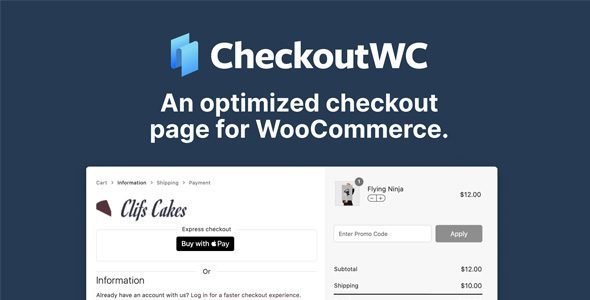
CheckoutWC is a premium WordPress plugin that replaces the default WooCommerce checkout page with a modern, conversion-optimized checkout experience featuring a clean multi-step layout, distraction-free design, express payment options, address autocomplete, mobile-first responsiveness, and a range of trust-building elements that reduce the hesitation that causes checkout abandonment.
The plugin installs on top of WooCommerce without modifying any WooCommerce core files, which means it is fully compatible with the WooCommerce payment gateways, shipping methods, and extensions already active on the store. Every order, customer record, and payment still processes through WooCommerce exactly as before. CheckoutWC simply replaces the page the customer interacts with during that process with one that is substantially better at converting their purchase intent into a completed transaction.
| Feature |
Description |
| Multi-Step Checkout Layout |
Clean step-by-step checkout that separates contact, shipping, and payment into distinct stages |
| Multiple Checkout Templates |
Several professionally designed checkout templates to match different store aesthetics |
| Express Checkout Buttons |
Apple Pay, Google Pay, PayPal Express, and Amazon Pay displayed prominently before the form |
| Address Autocomplete |
Google Maps powered address autocomplete that fills shipping fields as customers type |
| Mobile Optimized Design |
Fully responsive checkout layout designed specifically for thumb-friendly mobile completion |
| Order Summary Sidebar |
Persistent order summary panel showing cart contents, totals, and applied coupons throughout checkout |
| Distraction-Free Mode |
Removes header, footer, and navigation from the checkout page to eliminate exit opportunities |
| Trust Badge Display |
Configurable security badges and trust signals displayed near the payment section |
| Coupon Field Management |
Move, style, and control the visibility of the coupon entry field within the checkout layout |
| Cart Editing at Checkout |
Allow customers to adjust quantities or remove items directly from the checkout order summary |
Checkout Template Options
| Template |
Design Style |
| Futurist |
Clean, modern, minimal design with strong typographic hierarchy and generous white space |
| Copify |
Conversion-focused layout inspired by leading direct-to-consumer eCommerce brands |
| Midas |
Premium dark-mode aesthetic suited to luxury and high-end product stores |
| Divi |
Seamlessly styled checkout that matches the Divi theme design language natively |
| Storefront |
Checkout template designed to match the WooCommerce Storefront theme aesthetic |
| Side Cart |
Layout with a persistent side cart panel that stays visible throughout the entire checkout process |
Express Payment and Wallet Support
| Payment Method |
Integration Type |
| Apple Pay |
Native browser-based payment via Stripe or compatible gateway |
| Google Pay |
Native browser-based payment via Stripe or compatible gateway |
| PayPal Express |
One-click PayPal payment that bypasses the checkout form entirely |
| Amazon Pay |
Amazon wallet payment that pre-fills address and payment information |
| Shop Pay |
Shopify’s accelerated checkout available through compatible Stripe configurations |
| Link by Stripe |
Stripe’s saved payment credential system for returning customers |
| Buy Now Pay Later |
Klarna, Afterpay, and Affirm installment options displayed at checkout |
Checkout Field Optimization Features
| Feature |
What It Improves |
| Field Manager |
Add, remove, reorder, and relabel any checkout field without coding |
| Address Autocomplete |
Reduces address entry to a few keystrokes using Google Maps Places API |
| Phone Field Formatting |
Automatic phone number formatting and country code integration |
| Company Field Control |
Show or hide the company name field based on whether B2B checkout is required |
| Address Line 2 Control |
Hide the second address line by default with an expandable link to reduce visual clutter |
| State and Country Auto-Detection |
Automatically detect and pre-fill country and state fields based on browser or IP location |
| Billing Same as Shipping |
Pre-checked billing address toggle that eliminates duplicate data entry for most customers |
| Order Notes Field Control |
Show, hide, or relocate the order notes field to prevent it from dominating the checkout layout |
| Custom Field Addition |
Add custom checkout fields for gift messages, delivery instructions, or additional customer data |
| Required Field Reduction |
Identify and remove fields that are not necessary for order fulfillment to shorten the form |
Who Should Use CheckoutWC
WooCommerce store owners who are already driving reasonable traffic and generating sales but suspect they are losing a significant percentage of customers at the checkout stage will see the most immediate impact from CheckoutWC. Checkout abandonment rates on standard WooCommerce stores typically run well above the industry average for eCommerce platforms because the default checkout experience was designed for functionality rather than conversion. Replacing it with CheckoutWC addresses the most common structural causes of checkout abandonment without requiring any changes to the products, pricing, or traffic strategy that are already working.
Mobile commerce operators whose analytics show a majority of their traffic arriving on smartphones and tablets will find CheckoutWC’s mobile-first design particularly impactful. The default WooCommerce checkout was not designed with mobile completion as a primary concern, and the result is a form-heavy experience that frustrates users on small screens. CheckoutWC’s mobile layout treats the smaller screen as the primary context rather than an adaptation of a desktop design, which directly improves completion rates for the customer segment that represents the largest and fastest-growing share of eCommerce traffic.
High average order value stores selling premium products where customer hesitation at the payment step is most pronounced will benefit from the trust badge system and the distraction-free checkout mode that CheckoutWC provides. When a customer is about to enter payment details for a four or five figure purchase, the visual environment of the checkout page has a meaningful impact on their confidence. A clean, professional, trust-signal-rich checkout design communicates the legitimacy and security of the transaction in a way that the default WooCommerce checkout simply does not.
Subscription and recurring billing businesses running WooCommerce Subscriptions will find that CheckoutWC handles subscription product checkout smoothly, including the display of recurring billing information in the order summary, the integration with Stripe and PayPal for recurring payment authorization, and the overall checkout experience that reassures customers about what they are committing to before they complete the initial payment.
Digital product and course sellers who need a fast, streamlined checkout where there is no shipping address to collect and the form should be as short as possible will appreciate CheckoutWC’s field management capabilities that allow unnecessary fields to be removed entirely. A checkout for a digital product that asks for a shipping address and phone number creates unnecessary friction and signals to the customer that the site does not understand what it is selling. CheckoutWC’s field control makes it straightforward to present only the fields that are genuinely required for the transaction.
CheckoutWC vs Other WooCommerce Checkout Plugins
| Feature |
CheckoutWC |
CartFlows Pro |
FunnelKit |
WooCommerce One Page Checkout |
Fluid Checkout |
| Dedicated Checkout Replacement |
Yes |
Funnel-based |
Funnel-based |
Limited |
Yes |
| Multiple Design Templates |
Yes |
Yes |
Yes |
No |
Limited |
| Express Payment Buttons |
Yes |
Yes |
Yes |
No |
Yes |
| Address Autocomplete |
Yes |
Yes |
Yes |
No |
Yes |
| Field Manager |
Yes |
Limited |
Yes |
No |
Yes |
| Trust Badge System |
Yes |
No |
No |
No |
No |
| Distraction-Free Mode |
Yes |
Yes |
Yes |
No |
Yes |
| Cart Editing at Checkout |
Yes |
No |
No |
Yes |
Yes |
| Mobile Optimized Design |
Yes |
Yes |
Yes |
Limited |
Yes |
| One-Time Price |
Yes |
Yes |
Yes |
Yes |
Yes |
How to Install CheckoutWC
Download the CheckoutWC zip file from WPDropzone. Ensure WooCommerce is already installed and active before proceeding as CheckoutWC requires WooCommerce to function. In your WordPress admin panel navigate to Plugins, click Add New, then Upload Plugin, and select the downloaded zip file. Click Install Now and activate the plugin once installation completes. After activation navigate to CheckoutWC in your WordPress admin sidebar to access the settings panel. Begin by selecting your preferred checkout template from the template library, then configure your express payment options, address autocomplete settings, trust badge content, and field visibility preferences. CheckoutWC activates on your WooCommerce checkout page immediately upon saving your settings and the new checkout design is live for all customers from that point forward. Testing the checkout flow with a real transaction before announcing the change is recommended to confirm that your payment gateway and any active WooCommerce extensions are working correctly with the new checkout template.
Frequently Asked Questions
Does CheckoutWC work with all WooCommerce payment gateways? CheckoutWC is compatible with all standard WooCommerce payment gateways because it processes payments through WooCommerce’s existing payment infrastructure rather than replacing it. The checkout form CheckoutWC displays collects the customer and order data that WooCommerce passes to the active payment gateway, which means any gateway that works with standard WooCommerce checkout works with CheckoutWC. Some gateways that render heavily customized payment fields may require minor configuration adjustments to display correctly within CheckoutWC’s layout.
Will CheckoutWC conflict with CartFlows Pro or other funnel plugins? CheckoutWC and CartFlows Pro serve different but complementary purposes. CheckoutWC optimizes the standard WooCommerce checkout page that customers reach through the normal cart and checkout flow, while CartFlows Pro builds dedicated funnel checkout pages accessed through specific campaign URLs. The two plugins can coexist on the same WooCommerce installation without conflict, with CheckoutWC handling the standard checkout experience and CartFlows Pro handling dedicated funnel paths.
Does CheckoutWC support WooCommerce Subscriptions and recurring payments? Yes. CheckoutWC is compatible with WooCommerce Subscriptions and handles subscription product checkout including the display of recurring billing details in the order summary and the initial payment authorization that WooCommerce Subscriptions requires. Customers can see exactly what they are signing up for and at what recurring frequency before they complete the initial checkout transaction.
How does the address autocomplete feature work? The address autocomplete feature uses the Google Maps Places API to suggest address completions as the customer types in the shipping address field. When a customer selects a suggested address from the dropdown, CheckoutWC automatically populates the street address, city, state, postcode, and country fields without the customer needing to type each one individually. Using this feature requires a Google Maps API key with the Places API enabled, which is obtained through the Google Cloud Console.
Can I customize the trust badges displayed near the payment section? Yes. CheckoutWC includes a trust badge configuration panel where you can upload your own badge images or use the included badge library, arrange the badges in the order you prefer, and position them within the payment section of the checkout layout. Common choices include SSL security badges, accepted payment method logos, money-back guarantee badges, and recognized security certification logos that reinforce customer confidence at the payment entry stage.
Does CheckoutWC affect the performance of the checkout page? CheckoutWC is built with page performance as a design consideration and loads only the assets required for the active checkout template. The plugin replaces the default WooCommerce checkout template with a more efficiently structured layout rather than adding layers on top of it, and the address autocomplete and express payment features load asynchronously so they do not block the initial page render. Most stores see no negative impact on checkout page load times after installing CheckoutWC, and in some cases the cleaner template structure produces faster load times than the default WooCommerce checkout.
⚠️ Disclaimer: This plugin/theme is for personal use and practice only. Run a malware scan before use. For commercial use, purchase a license from the official website.