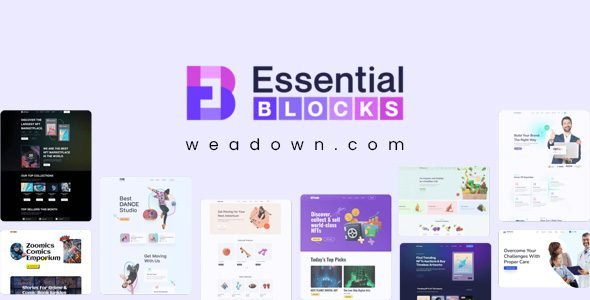
Essential Blocks Pro is the ultimate Gutenberg blocks library for WordPress to add power to the block editor & create stunning websites. It brings you the outstanding facility of complete modular control over the activation of each individual block.
Essential Blocks Pro Plugin WordPress Features
- Showcase Author Profiles By Auto-Fetching Data
- Fetch author data and showcase their profiles at the end of each post
- Generate Form Fields Automatically & Faster
- Streamline your workflow by automatically generating form fields based on the values you select with the Dynamic Tags.
- Generate Call To Action Buttons Effortlessly
- Create dynamic call-to-action buttons that automatically link to a relevant page within your site, saving you time and boosting SEO.
- Integrate ACF Content Through Dynamic Tags
- Easily integrate custom data from the Advanced Custom Fields (ACF) plugin into your WordPress content using Essential Blocks Dynamic Tags.
- Write With AI Auto Writer
- Just enter your title, keywords, or prompts — and watch your content generate instantly with a single click. No delays, just seamless writing with AI.
- Iterate & Rewrite Existing Content
- Need revisions? No worries – simply enable the overwrite option to refine and reshape your content until it fits your vision.
- Generate AI Content for Versatile Post Types
- Effortlessly generate AI-powered content for pages, posts, archives, or any template — all tailored to your prompts.
- Enable Liquid Glass Effect
- Enable the toggle to apply the glassmorphism effect on any block you want, design limitless.
- Create Liquid Glass On Your Term
- Adjust glass depth, change background colors, and filters to make key elements stand out.
- Apply Shadow Effects
- Find more Images with captions, hover effects links and load more options, letting them right in fingertip distance.
- Restrict Content Viewing Based On Logged-In Status
- Apply visibility conditions on your content created with Essential Blocks based on logged-in or logged-out status on the websiteControl Visibility Depending On WordPress User Roles
- Set and select custom conditional logic to only allow a certain group of your website users to view or hide content on your website, based on user roles and statuses.
- Adapt Content Display To Different Browsers
- Control the web browsers that users can view content from, such as Mozilla Firefox, Google Chrome, etc.
- Keep Content Visible For Specific Date & Time
- Create pages ahead of time and keep them private until you are ready to make them public to your users during various promotional or seasonal sales periods.
- Manage Previewing From Certain Query Strings
- You can set conditions on who sees or not your site specific section based on the platform they are on.
- Control Content Display Based On URL Parameters
- You can control who can see certain sections of your site based on URL parameters.
- Limit Content Viewing Depending on the Archive Types
- By placing limitations on archive types, you can reduce the visibility of any global content that has been added to all site templates.
⚠️ Disclaimer: This plugin/theme is for personal use and practice only. Run a malware scan before use. For commercial use, purchase a license from the official website.