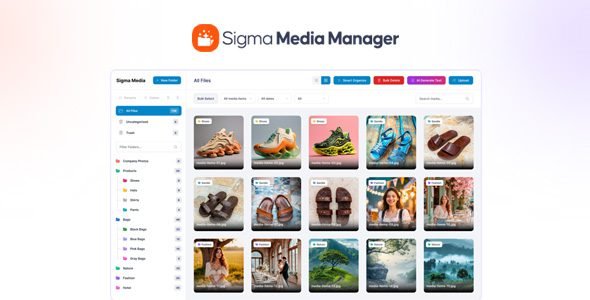
Sigma Media Manager organize your entire WordPress media library with folders, filters, drag & drop, advanced controls, and blazing-fast performance.
Sigma Media Manager Plugin WordPress Features
- Create, rename, and organize folders easily
- Folder colors for quick identification
- Auto-expand folders with subfolders
- Keyboard shortcuts for faster navigation
- Drag & drop files and folders
- Generate image titles, captions, and descriptions
- Process only images with empty fields
- Choose specific folders, selected images, or entire library
- Professional and consistent content style
- Smart time estimation before processing
- Automatically scan your entire media library for unused files
- Detect images and files not used in any posts or pages
- Preview unused media before deleting
- Select all or choose specific files to remove
- Reduce storage usage and improve site performance
- Automatically organize media files by type and usage
- Group uncategorized files into meaningful folders
- Improve media discoverability and workflow speed
- Perfect for content-heavy and WooCommerce sites
- Reduce clutter in large media libraries
- Grid and list view modes
- Adjustable items per page
- Custom thumbnail sizes
- Resizable sidebar for better visibility
- Show or hide file information
- REST API access toggle
- Optional delete-data-on-uninstall
- Smooth UX with lightweight scripts
- Drag & drop files and folders
- Optimized loading for large media libraries
- Import settings from previous backups
- Safe & simple configuration transfers
- Export plugin settings as JSON
- One-click full settings restore
⚠️ Disclaimer: This plugin/theme is for personal use and practice only. Run a malware scan before use. For commercial use, purchase a license from the official website.